Point of sale
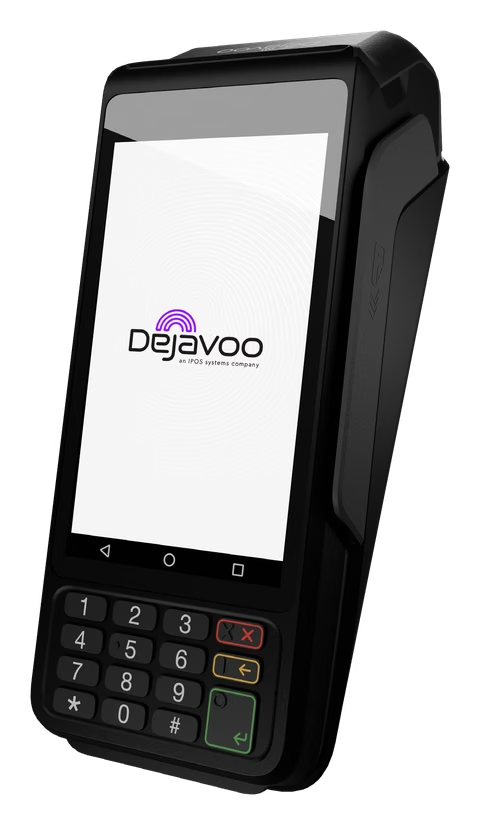
Dual pricing on a Dejavoo terminal
Stratamize explains where the dual pricing setting lives on a Dejavoo terminal and why your provider, not you, usually switches it on.
About two minutes. Our team follows up.
Dual pricing
What the terminal does
Dual pricing shows the customer two prices for the same sale, one for a card and one for cash, and lets them choose. Dejavoo’s description of its program says items are always shown in dual pricing mode and that the receipt shows a cash customer how much they saved.
Owners usually search for a menu to switch it on. There is not one on the terminal. This page covers where the setting is, what you can do yourself and what to ask the company that set up your terminal.
Where it is set
The setting is in the terminal file
A Dejavoo terminal takes its behavior from a set of parameters the provider enters in Dejavoo’s portal. The portal manual walks through them in order: receipts, tips and taxes, transaction types, settlement, and then a Fee step. That step has a consumer choice option, described as letting the customer choose cash or card, with a box for the percentage.
Dejavoo’s fee options document says the same of its other fee features: the configuration is manageable only in Dejavoo’s STEAM system. Either way the provider builds it and sends it to the terminal.
Why it is not just a switch
The merchant account has to match
The portal manual describes two profiles a terminal can carry, named With Fee and Without Fee, each tied to a merchant ID. The provider decides which merchant ID sits under which profile when it builds the terminal.
The manual gives a rule that explains a common support call. If only the Without Fee profile is configured and a sale is run with the added amount, the sale is declined. So turning the feature on without the matching account setup does not give you dual pricing. It gives you declined cards. The provider has to set up both sides.
Your side
What you can do yourself
- Decide your posted prices, and change every place a price appears: menus, shelf tags, your website and any delivery app
- Put up the signs your provider supplies, at the entrance and at each register
- Teach staff one sentence to say, and what to do when a customer asks why there are two prices
- Run a credit sale, a debit sale and a cash sale on the first day, and read all three receipts
- Look at the parameters in the portal, if your provider has turned on your access. See signing in to iPOSpays
Their side
What you normally cannot change
- Switching the program on or off at the terminal
- The percentage
- Which merchant ID and profile the terminal uses
- Whether debit is priced like cash or like credit. Dejavoo’s program sheet describes customers saving with cash or a debit card. Ask your provider how its program treats debit, and make sure your signs match
Questions to ask
What to ask your provider
Send these in one email so the answers are on record.
- What percentage is entered on the terminal?
- How is debit treated?
- What does each receipt print?
- Is the merchant account set up for this program?
- Who supplies the signs, and what do they say?
- How is it turned off?
How it reads to customers
The posted price and the cash price
Stratamize sets this up as a discount for paying cash. The posted price is the card price, and a customer who pays cash at the counter pays less. The program page has the price math and the rules we follow, and it comes with terminal placement.
A second look
Provider not helping?
Stratamize is an independent merchant services agent. If the company that set up your terminal is not answering, we can review the setup with you and tell you what to ask for. Changes to an existing terminal file still have to come from the provider on that account.
If you would rather move, you apply for a merchant account in your own business name through one of our banking partners, subject to approval, and we program the terminal with you.
Can I turn on dual pricing myself from the terminal?
Normally no. The setting is a parameter in the terminal file, which your provider enters in Dejavoo’s portal and sends to the terminal.
Why did cards start declining after dual pricing was turned on?
Dejavoo’s portal manual describes one cause: a sale run with the added amount when only the Without Fee profile is configured is declined. Your provider has to correct the profile.
Where can I see the setting?
In the terminal’s parameters in the iPOSpays portal, if your provider has turned on the module that lets a merchant view them. If not, ask the provider for the values.
Is dual pricing allowed in my state?
Rules differ by state and by card brand, and they change. This page is not legal advice. Ask your provider how its program is built for your state.
Sources
Where these facts come from.
- Dejavoo, iPOSPays User Manual: profiles and the Fee parameter, checked 2026-11-20
- Dejavoo, Dual Pricing payment program sheet, checked 2026-11-20
- Dejavoo, Fee Options, checked 2026-11-20
Point of sale
Tell us how your pricing is set up today.
We recommend the setup, quote it and set it up with you.
Every merchant account is subject to underwriting approval.
Ask about Dejavoo by email