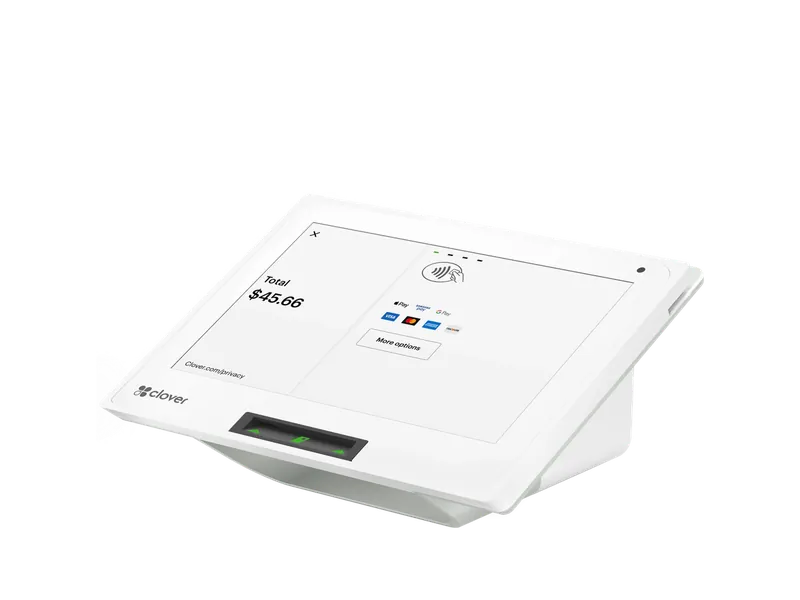
Countertop POS
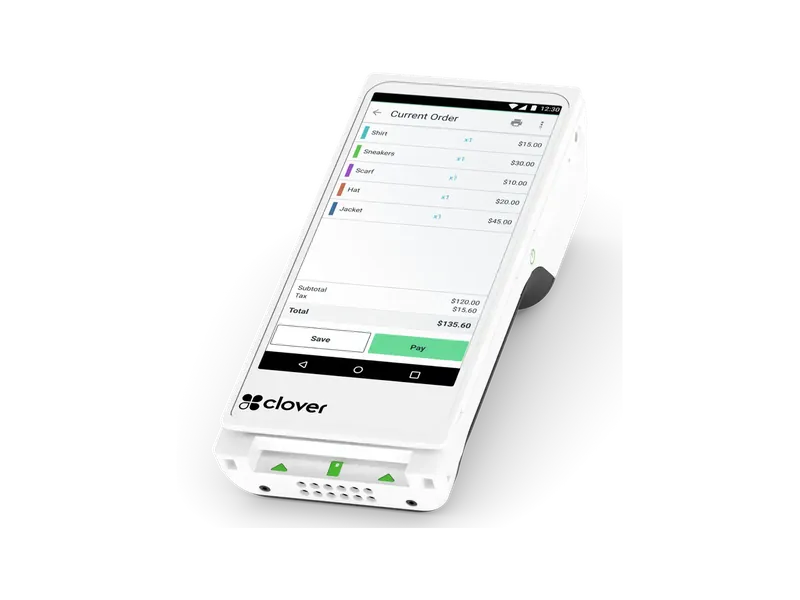
Clover Mini
A full POS for a small cash wrap, with a built-in printer.
Point of sale for boutiques
Stratamize sets up Clover for boutiques: styles by size and color, tags from a label printer, and checkout on the floor as well as at the counter.
About two minutes. Our team follows up.
Comparing Square? See Clover vs Square
What we set up
A boutique sells the same style in many sizes and colors, receives small deliveries often and knows its regulars by name. The point of sale has to keep up with all three: variants that stay counted, tags you can print, and customer profiles that remember what a regular bought last season.
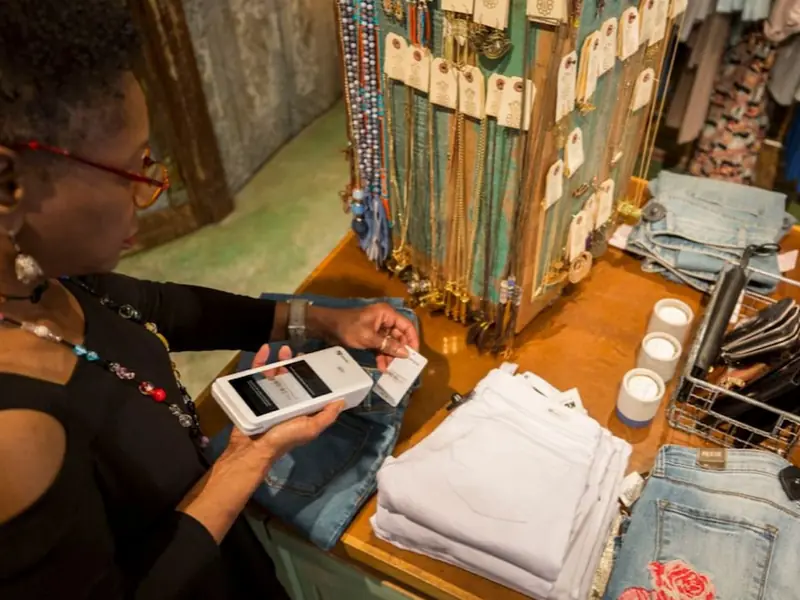
Stratamize sets Clover up for that: your catalog with its variants, a label printer for tags, gift cards, customer profiles and rewards, and a handheld so staff can check a customer out on the floor or at a trunk show. We set up the merchant account it runs on and train your staff.
General retail has its own page; this one is for boutiques.
Where we set this up. Anywhere in the U.S., by phone: your devices are shipped to you ready to use and we train your staff on a call. In Coweta County and metro Atlanta our team installs on site, including Peachtree City and Senoia. See all service areas.
Recommended devices
Which devices, and how many, depends on your counter and your floor. We adjust it with you before you commit to anything.
Countertop POS
A full POS for a small cash wrap, with a built-in printer.
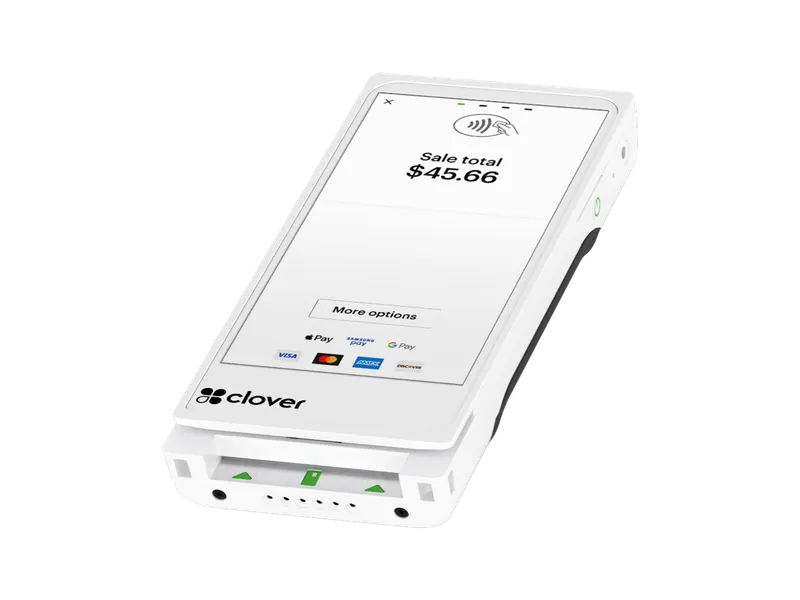
Handheld, no printer
A light handheld with no printer for checkout on the floor or at a trunk show; receipts go by email or text.
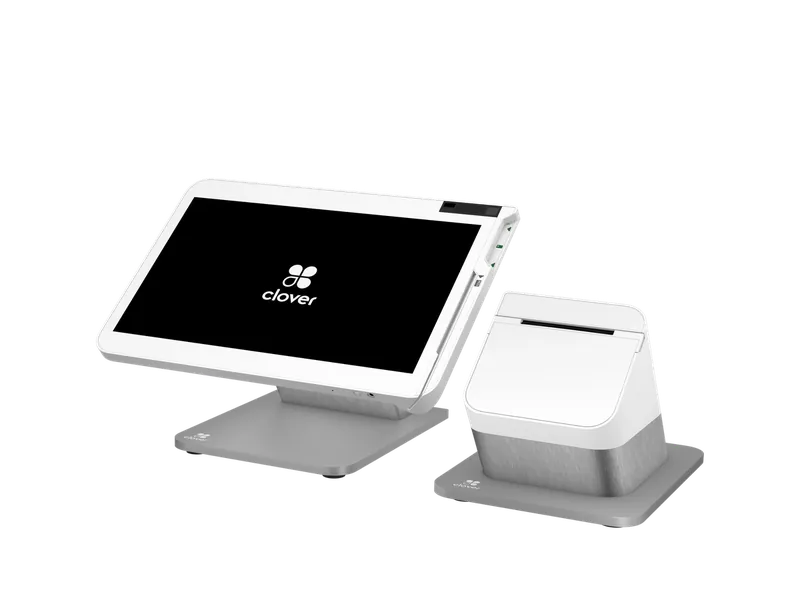
Full station
A 14-inch station for a larger catalog; customers pay on a paired Mini or Flex.
Handheld with printer
A handheld with a printed receipt, for stores that want paper at checkout on the floor.
How it works
Answer a few questions and confirm your email, then finish a short checklist. It asks for your business details, never your customers’ card numbers.
Underwriting reviews your merchant account, and we keep you posted until it is decided.
After approval we set up your Clover, test a live sale and a refund, and train your staff.
Yes. Each style is one item with variants, and each size and color combination keeps its own count. When a delivery arrives, you receive it against those variants, and the dashboard shows which sizes are selling and which are sitting.
Yes. A label printer prints barcode tags for items that arrive without one, so checkout is a scan rather than a search. We set up the printer and the label format with you.
Yes. The toolkit fit chart we use suggests a Clover Flex Pocket for line-busting in a boutique: a light handheld with no printer that sends receipts by email or text. A Clover Flex does the same with a printed receipt. Either one works at a trunk show or a pop-up, on Wi-Fi or cellular service.
At a pop-up or a market the handheld sells from the same catalog as the shop, so what you sell there comes off the store's counts. Bring tagged stock so everything scans. Clover's boutique page describes an offline mode that takes payments when the connection drops and processes them when it returns. A card is not approved until then, so we set limits with you first.
A refund goes back to the card the customer paid with, or out of the drawer for a cash sale. An exchange is rung as a return and a new sale, so the count for both sizes stays right. For store credit, Clover's gift card page says credit can be issued from the Clover device; it works through the gift card program, so that is set up first. Send us your return policy as it reads on your receipt, including sale items and worn items, and we set which staff can process a return and which need a manager.
A special order for a size you do not stock is simple: the item, a note with the customer's name and a deposit taken as a partial payment, closed when the piece arrives. Layaway is more work, because payments arrive over weeks and the item has to stay off the floor count. A shop with a handful of layaways can run them the same way as special orders. If you carry many, tell us and we look for a layaway app in the Clover App Market and show you its monthly cost first.
Clover's boutique page describes an online store that syncs sales and inventory with the register, so a dress sold online comes off the same count as the one on the rack. That matters most for one-of-a-kind pieces, where selling the same item twice is the real risk. If you already sell on another platform, tell us which one. Whether it can share inventory with Clover depends on the platform and sometimes on an app, and we check before you rely on it. If your online sales come mostly from social posts, a payment link may be all you need.
From a spreadsheet when you have one. If your current system can export your items, send us the file and we map it: one style to one item, with its sizes, colors, prices and barcodes as variants. If you work from paper, we start with what is on the floor today and add new styles as deliveries arrive; sold-out styles from last season stay out. Settle your size names first (S, M, L or 2, 4, 6) and keep them the same across styles, so counts and reports stay readable. We check a sample of tags against the rack before opening day.
Clover supports gift cards, and it keeps customer profiles with purchase history, so staff can see what a regular bought before. We set up the gift card option and the customer fields you want during setup.
The fit chart starts boutiques on a Clover Mini or a Station Solo. The Mini suits a small cash wrap. The Station Solo gives a larger screen for a bigger catalog, with customers paying on a paired Mini or Flex.
Yes, for sales in your store. Your tag prices are the card prices, and customers who pay cash get 3.5% off for cash. Credit and debit customers pay the posted price, and nothing is added at the register. We set up the program and the signs.
Sources
Clover details come from Clover’s own pages, as of the date shown. Clover may change them.
Point of sale
We match the devices to how you sell, set them up with your merchant account and train your staff.