Clover from Stratamize
Clover Kiosk
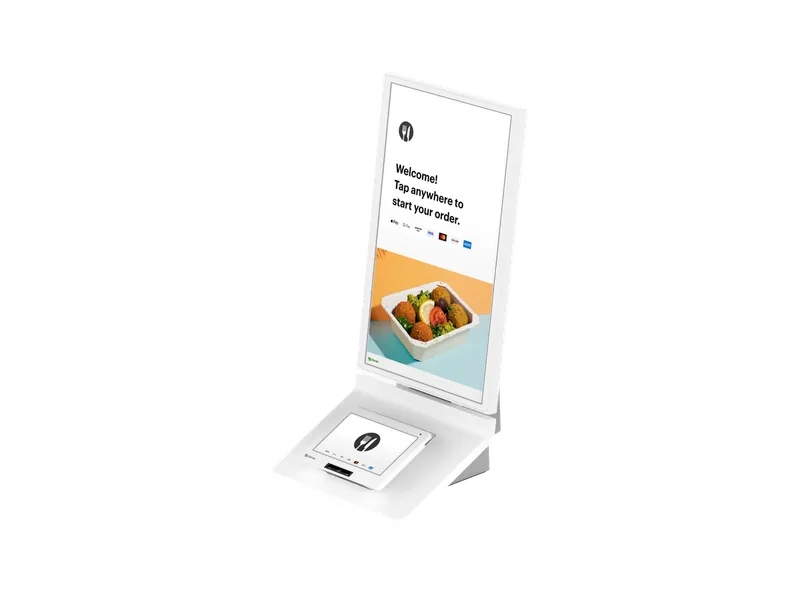
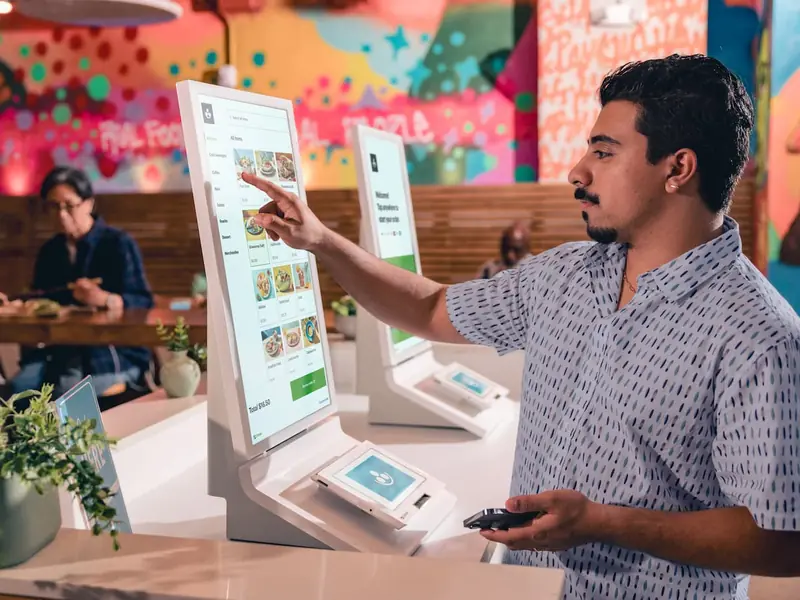
A self-order screen with a built-in payment terminal, so guests order and pay without waiting in line. Stratamize sets it up with your merchant account, loads your items and trains your staff.
About two minutes. Our team follows up.
Equipment is supplied and billed on the processing partner’s side, as a purchase. Stratamize helps you choose it, sets it up with your merchant account, loads your items and trains your staff, and does not charge you for the equipment.
Specifications
What the Kiosk does.
Best for
- Quick-serve and fast-casual counters with a line at lunch
- Coffee shops and pizza counters that want a second place to order
- Restaurants that already run a Clover Station or Mini at the counter
- Screens
- 23.8" customer screen and an 8" payment screen
- Printer
- Built-in, 80mm
- Payments
- Through the built-in Mini: contactless, chip, swipe and debit PIN
- Connectivity
- Wi-Fi, Ethernet, LTE
- Menu
- Pulls from your Clover POS, items and pricing kept in sync
- Mounting
- Wall, countertop or a wheelchair-accessible floor stand
Specifications from Clover’s published technical specifications and Clover’s own sales sheets. Clover may update a device; we confirm the current model with your application.
What we set up
What we set up with your Kiosk.
- Prepare your Clover menu for self-ordering: photos, modifiers and what to hide
- Route kiosk orders to your Kitchen Display or kitchen printer
- Choose the mount: wall, countertop or floor stand
- Set up the idle screen with your own promotions
- Run test orders end to end before the kiosk goes live
How it works
From application to first sale.
Tell us about your business
Answer a few questions and confirm your email, then finish a short checklist. It asks for your business details, never your customers’ card numbers.
Get approved
Underwriting reviews your merchant account, and we keep you posted until it is decided.
We set it up and train your staff
After approval we set up the Kiosk, test it and train your staff.
Compare
Kiosk or something else?
The Kiosk adds a self-order lane beside your counter; it does not replace the register. Most kiosk setups run a Station Duo or Mini at the counter and a Kitchen Display on the line.
| Feature | Clover Kiosk | Clover Station Duo | Clover Kitchen Display |
|---|---|---|---|
| Type | Self-order kiosk | Dual-screen station | Kitchen screen |
| Best for | Quick-serve restaurants with lines at the counter that want customers to order and pay themselves | Busy counters, such as convenience stores, quick-serve and retail, where the customer pays and tips at the counter | Restaurants and quick-serve kitchens that lose tickets or want faster order flow |
| Screen | 23.8" customer screen and an 8" payment screen | 14" staff screen, 8" customer screen | 14" counter or wall; 24" overhead |
| Printer | Built-in, 80mm | Built-in receipt printer | – |
| Payments | Through the built-in Mini: contactless, chip, swipe and debit PIN | Chip, contactless and swipe; PIN on the customer screen | None (kitchen orders only) |
| Connectivity | Wi-Fi, Ethernet, LTE | Ethernet, Wi-Fi, 4G/LTE | Wi-Fi, Ethernet (PoE+) |
Do we need another Clover device with the Kiosk?
Yes. The Kiosk pulls its menu from your Clover POS, so it runs alongside a Clover register such as a Station Duo or a Mini. Orders print in the kitchen or show on your Kitchen Display, just like counter orders.
Does the Kiosk take card payments itself?
Yes. It has a built-in 8-inch payment terminal. Clover's sales sheet lists contactless, chip, magstripe and debit PIN.
Can we change what the Kiosk shows?
Yes. You can turn categories, items and modifiers on and off, and run your own promotions on the screen while the kiosk is idle. We set up the first version of the menu with you.
Is the Kiosk accessible?
Clover offers an adjustable floor stand for wheelchair accessibility, plus wall and countertop mounts. We help you choose the mount for your space.
How much does the Clover Kiosk cost?
The Kiosk is supplied and billed through the processing partner as a purchase, and Stratamize does not sell it or charge you for it. Apply below and we send the equipment options with your register, Clover plan and processing before you commit, or call (770) 629-0928.
Point of sale
Clover, set up by Stratamize.
We match the devices to how you sell, set them up with your merchant account and train your staff.