Interchange
Paid to the bank that issued your customer's card. It is the largest part of every statement, and it varies by card type: a debit card costs less than a premium rewards or business card.
Card processing
How a card sale reaches your bank account, what each fee pays for, and what we set up: a merchant account with Clover at the counter, or a gateway for online and phone payments.
Two-minute request. Our team in Newnan follows up.
Registered ISO · Office in Newnan, Georgia · Serving businesses nationwide
How it works
The customer taps, inserts or swipes, or enters a card online. The sale goes through the card network to the bank that issued the card, which approves or declines it in seconds.
At the end of the day your approved sales are sent as a batch. The issuing banks pay out, and the card networks route the money to your merchant account.
The money from your card sales is deposited into your business bank account. Your processing agreement states the funding schedule and when fees are taken.
What you pay for
Some fees are set by the card brands and are the same at every processor. Others are set by the processor. Knowing which is which is how you compare quotes.
Paid to the bank that issued your customer's card. It is the largest part of every statement, and it varies by card type: a debit card costs less than a premium rewards or business card.
The card networks' own small percentage on sales, plus per-authorization network fees. Like interchange, they are the same whichever processor you use.
What the processor charges on top: a percentage, a per-item fee, or both. This is the part a quote can actually change.
Monthly service, statement, PCI and gateway fees, and sometimes a monthly minimum. Add them in, or the rate you compare is not the rate you pay.
Send a two-minute request and a recent statement. We separate the card-brand fees from the processor's, and quote the part we can change.
In person or online
How a card reaches you changes the risk and the cost. A tap or chip at the counter usually costs less than a card number typed in, because the card itself is verified.
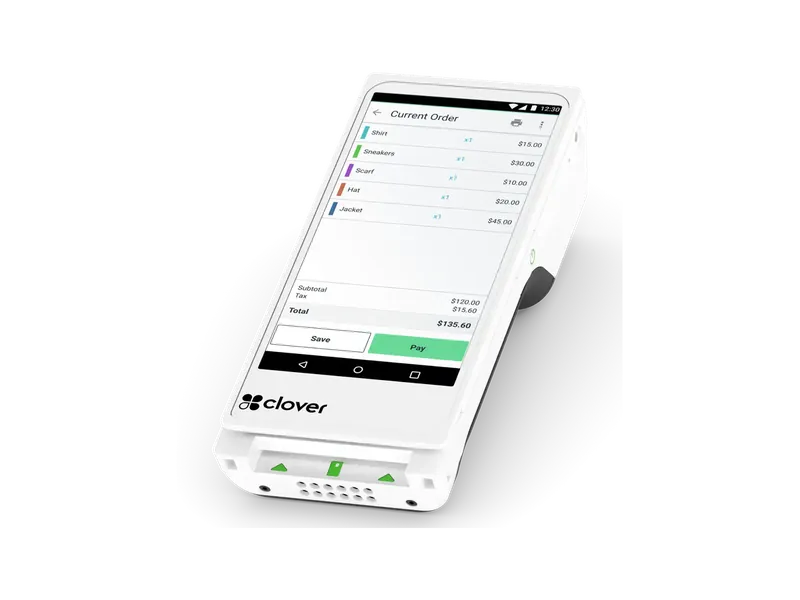
Tap, chip and swipe on a Clover device. Your customer's card is read by the device and the card data goes straight to the processor.
Handheld Clover devices take the payment where the customer is: tableside, in the bay, at the curb or at a market stall.
A payment gateway takes card payments from your website, invoices, payment links and phone orders, through the processor's hosted forms.
What we set up
Applying
Every merchant account goes through underwriting. Having these ready keeps the review moving.
You upload documents through the secure checklist after you confirm your email. Please don't send statements or IDs by text or email.
FAQ
The account that lets your business accept card payments. Approved card sales settle into it, and the money is then deposited into your business bank account. Every merchant account is subject to underwriting approval.
Flat rate is simpler to read; interchange-plus shows every card's real cost plus a set markup, which is easier to check. Which costs less depends on your card mix and your average sale, so we compare both against your own statement.
Yes. The Clover Go card reader pairs with a phone or tablet for taking payments on the move. For a full handheld with a printer, most businesses choose a Clover Flex.
Yes. We set up Clover for the counter and a gateway for online, phone and invoice payments, so in-person and online sales are handled by one team.
The card industry's security standard for businesses that accept cards. Many processors charge a monthly fee if the yearly security questionnaire isn't completed. Using Clover devices and hosted payment forms keeps card data off your own systems.
Send a two-minute request. We read your current statement and quote your processing with the model and rates named. Our team is based in Newnan, Georgia, and we work with businesses nationwide.
Approvals usually come back within hours, three days at most.
Book a call with our team