01
Sell
Checkout and register controls
Build the order, assign a customer, apply supported adjustments, collect payment, and close the register.

STRATAMIZE POS
Move from a completed sale to updated inventory, customer context, staff accountability, and reporting without stitching together a stack of disconnected tools.
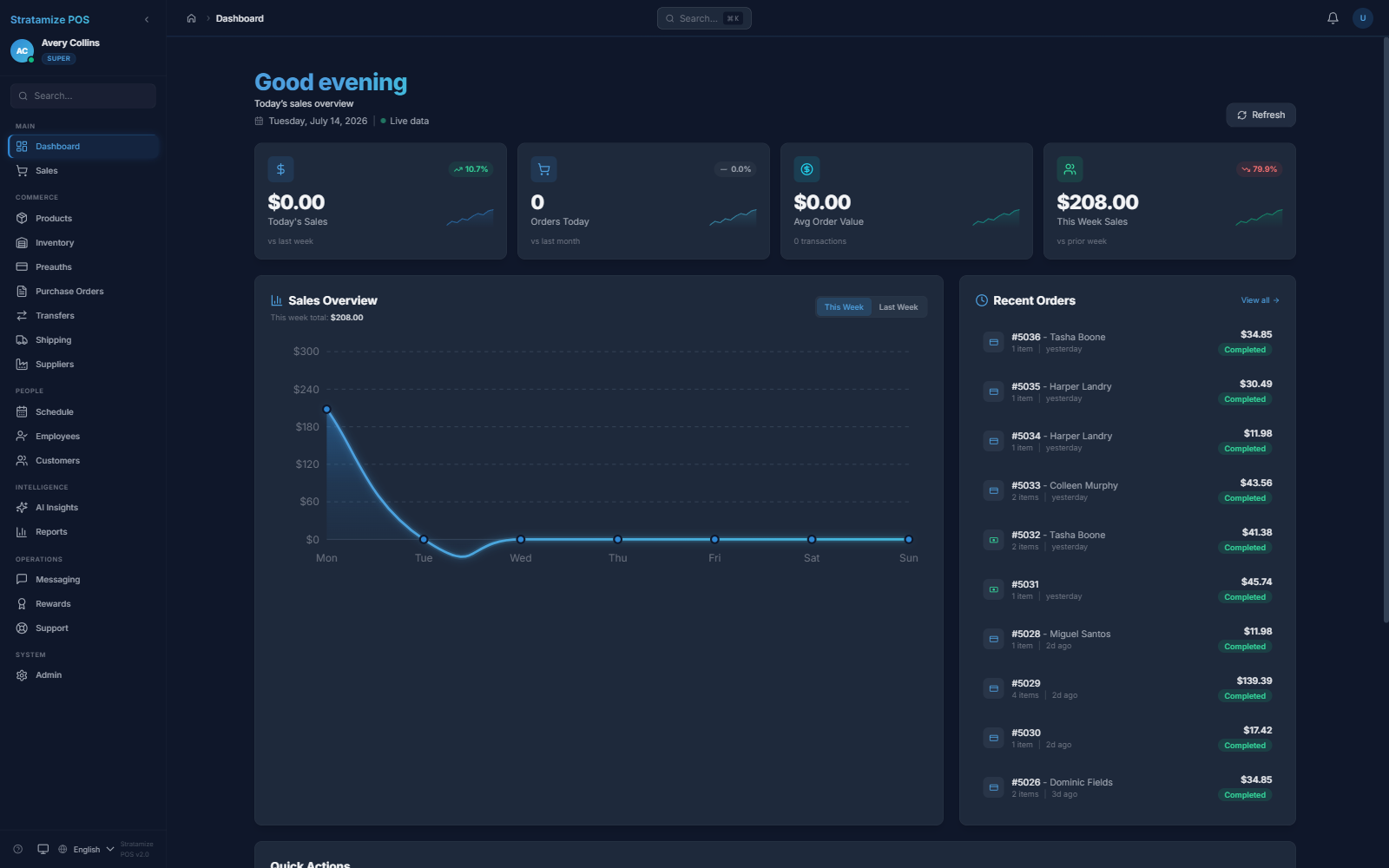
One operating surface
Use the modules you need now while keeping the core sales, inventory, customer, employee, and reporting records connected.
Sell
Build the order, assign a customer, apply supported adjustments, collect payment, and close the register.
Stock
Manage items, quantities, reorder points, suppliers, purchase orders, transfers, and location-level availability.
Explore Catalog, inventory, and purchasingOperate
Keep customer history, employee roles, and business reporting in the same operating context.
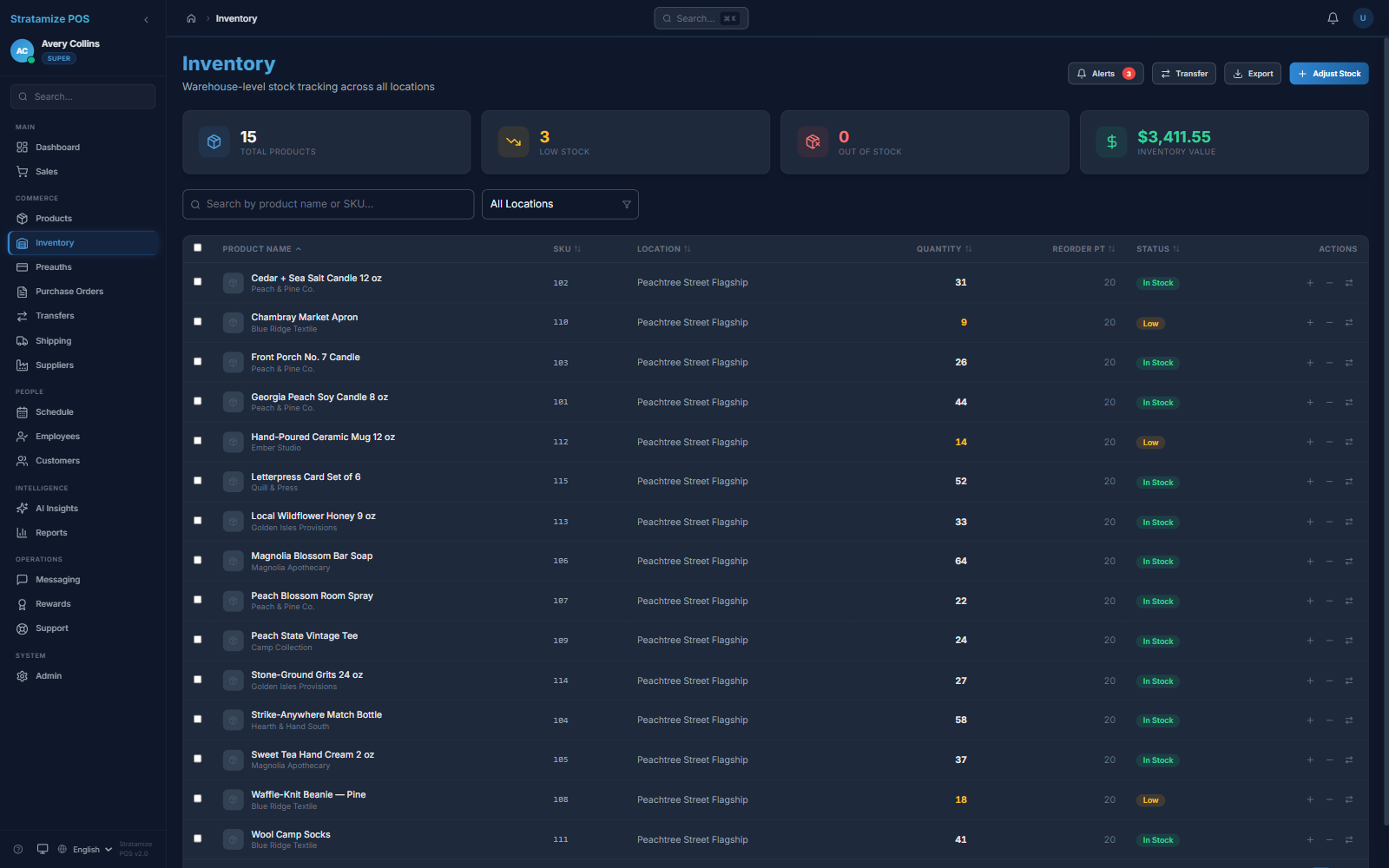
Inventory control
Location-level quantities, low-stock signals, reorder points, transfers, and purchase-order workflows help operators act on stock movement instead of reconstructing it later.
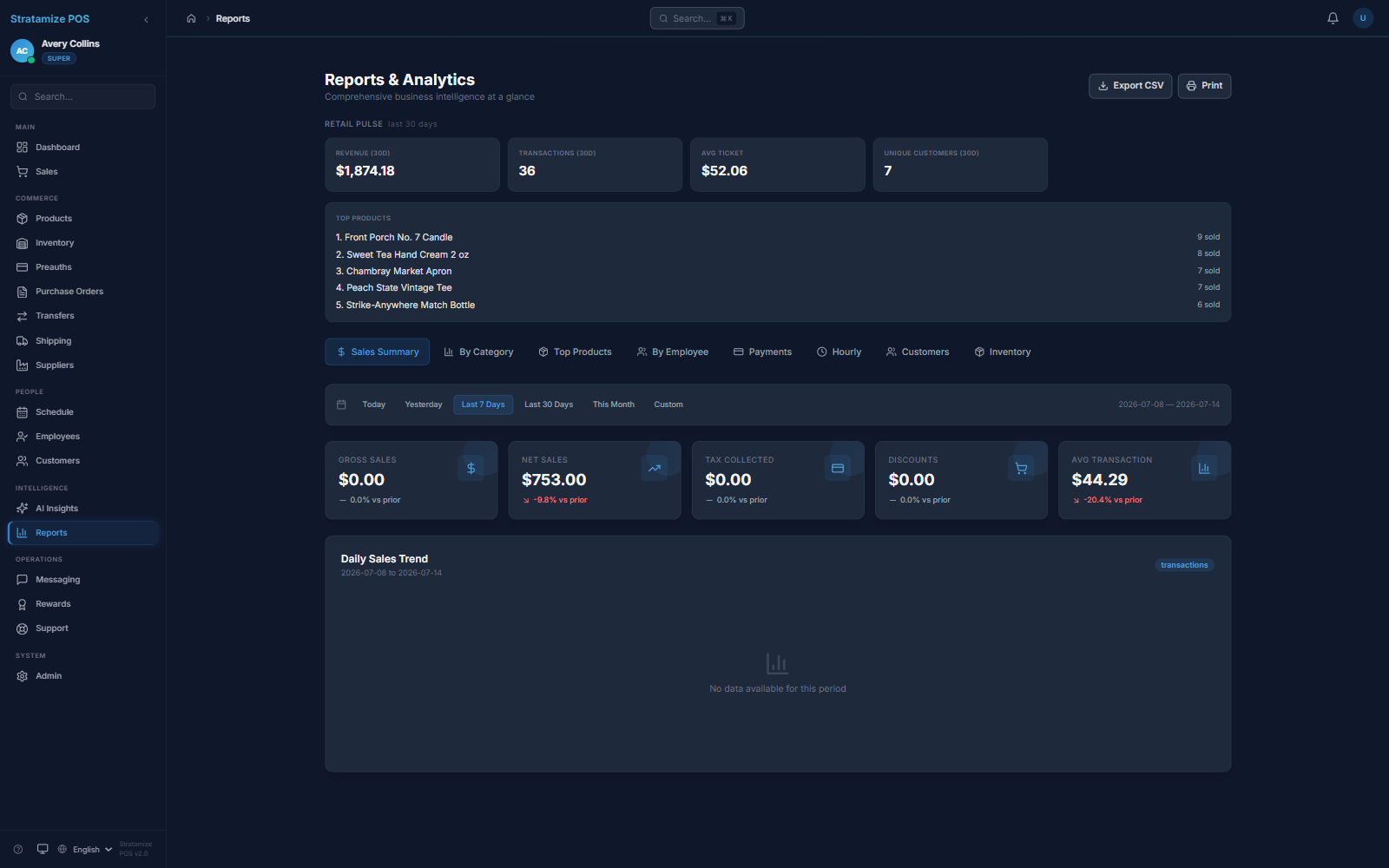
Reporting
Review revenue, transaction count, average ticket, top products, employee activity, payments, hourly patterns, customers, and inventory from the operating record.