
01
Location
On-hand quantity in context
Inspect the item, its current quantity, and the location associated with that stock record.

POS INVENTORY MANAGEMENT
Use the same operating system that records sales to inspect item quantities, location availability, stock status, thresholds, value, and the actions that move inventory work forward.
Product proof
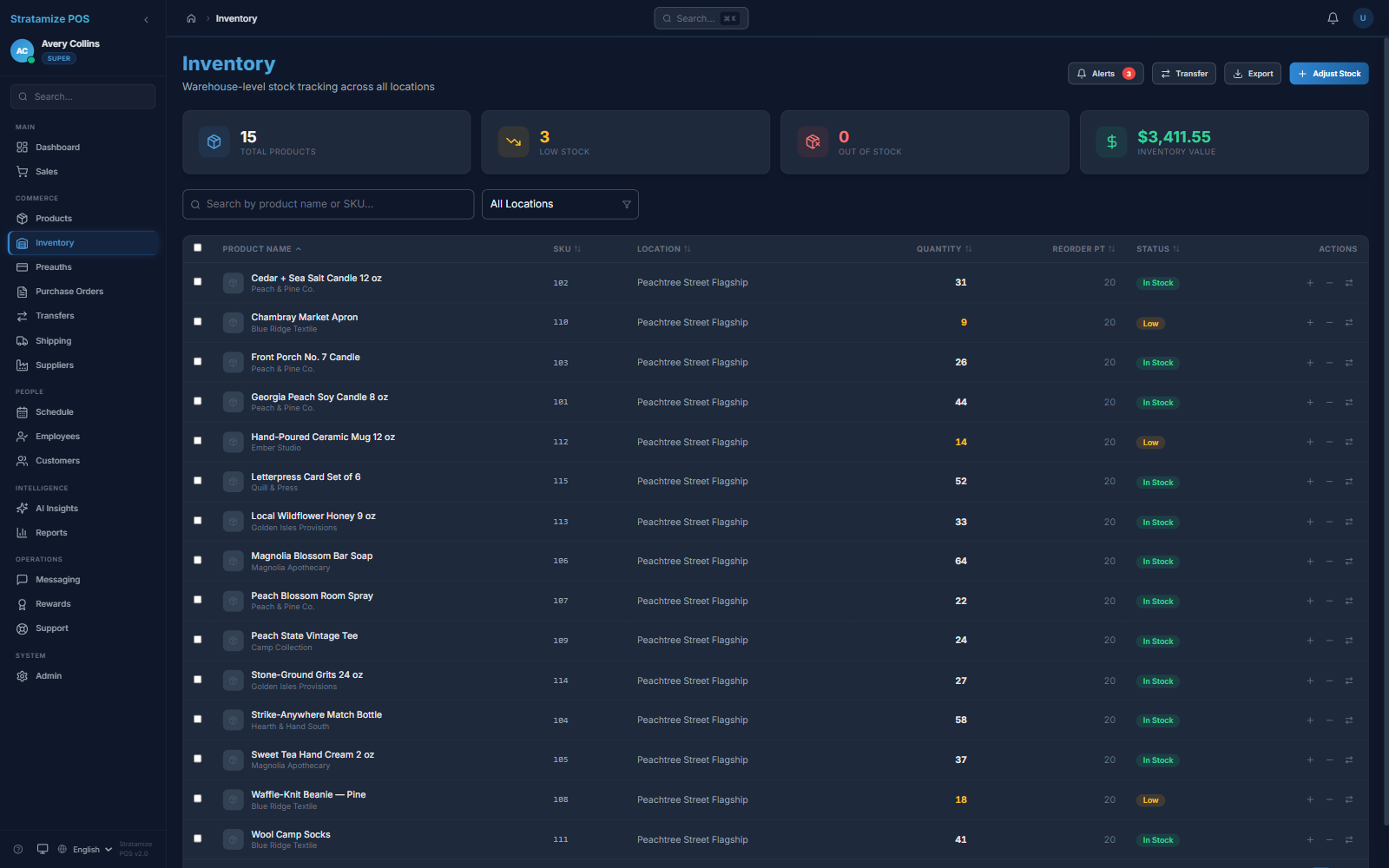
The inventory view shows product quantities by location, low-stock status, reorder points, total inventory value, and adjust or transfer actions in one operating view.
Operational inventory
Location
Inspect the item, its current quantity, and the location associated with that stock record.
Threshold
Use configured reorder points and visible low-stock status to identify items that need attention.
Movement
Open adjustment or transfer actions from the inventory view, then verify permissions and the complete movement workflow for your operation.
Fit-review sequence
A useful inventory demonstration follows the record from catalog setup through the decision an employee or manager has to make.
Confirm SKU, category, price, stock status, and the fields your catalog actually requires.
Check the on-hand value, location, reorder point, and low-stock state.
Walk through the adjustment or transfer path, including who may perform it and what record remains.
Compare the inventory view with the related sale, transfer, purchasing, and reporting records.
STRAIGHT ANSWERS
No. The current product evidence shows quantities, locations, reorder points, low-stock status, inventory value, adjustments, transfers, and purchasing context. Forecasting or automated replenishment must not be assumed.
Migration depends on the fields and export quality in the current system. We inspect SKUs, categories, prices, quantities, locations, taxes, and any specialized item requirements before defining scope.
Test location-specific quantities, permissions, the complete transfer path, receiving, discrepancies, reporting, and the audit record with representative products before cutover.