
01
Supplier
Name the source of the order
Keep the supplier attached to the purchase order instead of reconstructing the relationship from a spreadsheet.

PURCHASE ORDERS IN THE POS
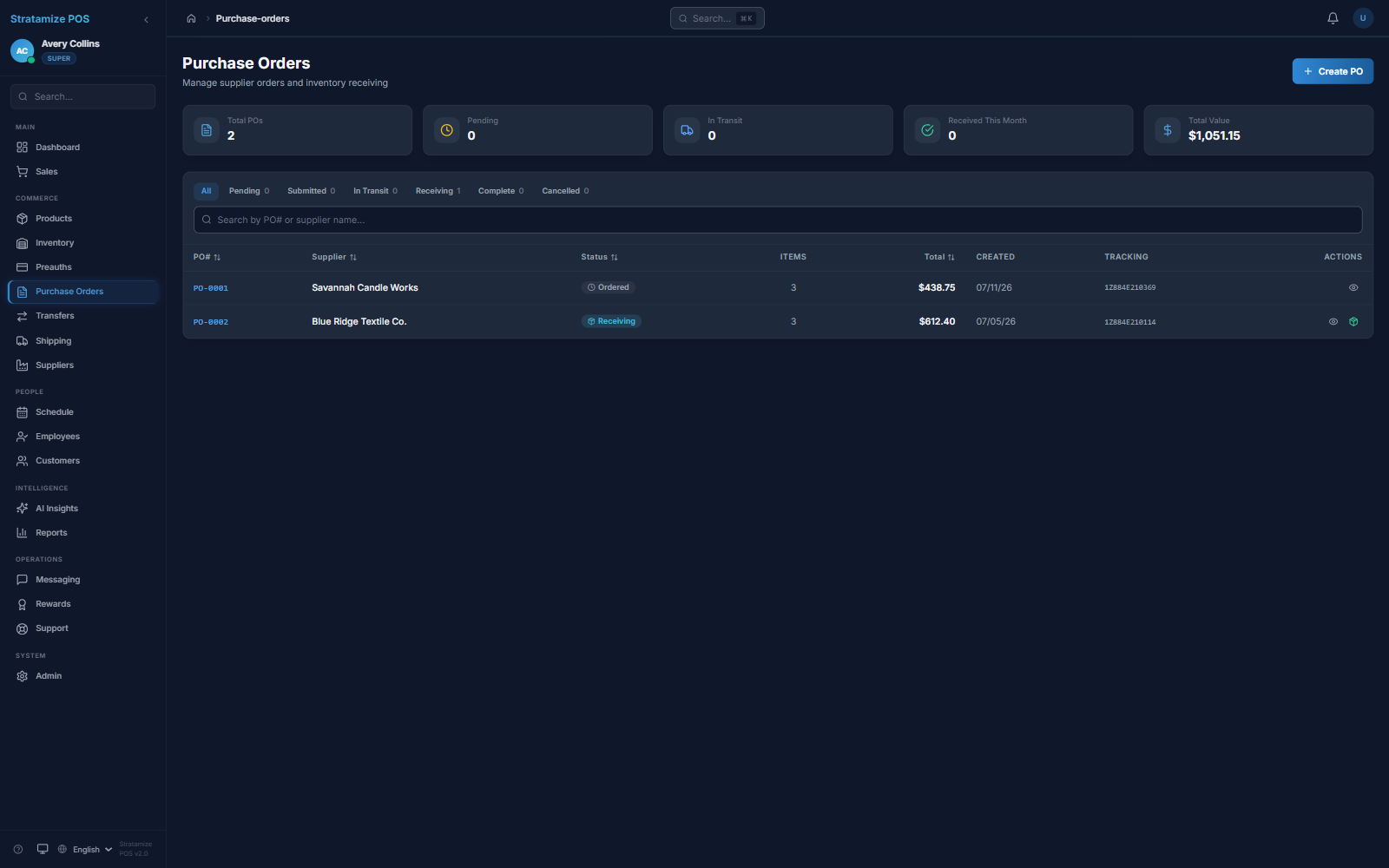
See the supplier, current order state, tracking reference, order value, and active purchasing pipeline beside the inventory system those orders support.
Product proof
The purchase-order view identifies the supplier, visible Ordered or Receiving status, tracking reference, order value, and total value in the active purchasing pipeline.
Purchasing context
Supplier
Keep the supplier attached to the purchase order instead of reconstructing the relationship from a spreadsheet.
Status
Use the visible states to distinguish orders that are at different points in the purchasing pipeline.
Reference
Review the order value and available tracking reference before deciding the next follow-up.
Fit-review sequence
Use a representative supplier order to confirm what the current screen proves and identify every receiving behavior that still requires demonstration.
Confirm the supplier, order value, status, and tracking reference.
Confirm the status shown on the order without assuming the screen proves every receiving action or exception.
Require a tailored demonstration for line items, quantities, partial receipts, discrepancies, permissions, inventory updates, and supplier communication.
STRAIGHT ANSWERS
The current product evidence does not establish automatic supplier emailing. Treat supplier communication as a fit-review question and verify the exact workflow before relying on it.
No. Ordered and Receiving statuses are visible, but partial receipts, backorders, substitutions, discrepancies, and approvals should be demonstrated with your actual operating cases.
Import scope depends on the source export, field quality, supplier records, open-order state, and the history that must be retained. We inspect that data before promising a migration.