
01
Shown now
Catalog, stock, customers, and supplier status
Current screens show SKUs, categories, prices, stock counts, location inventory, customer loyalty and wallet fields, and supplier orders with visible status and value.

BOUTIQUE POS
Use one operating path to ring the sale, inspect the boutique catalog, review location inventory, retain customer context, and follow active supplier orders.
Representative boutique workflow
A boutique fit review should test the product record, checkout path, customer context, stock visibility, and purchasing work with representative merchandise.
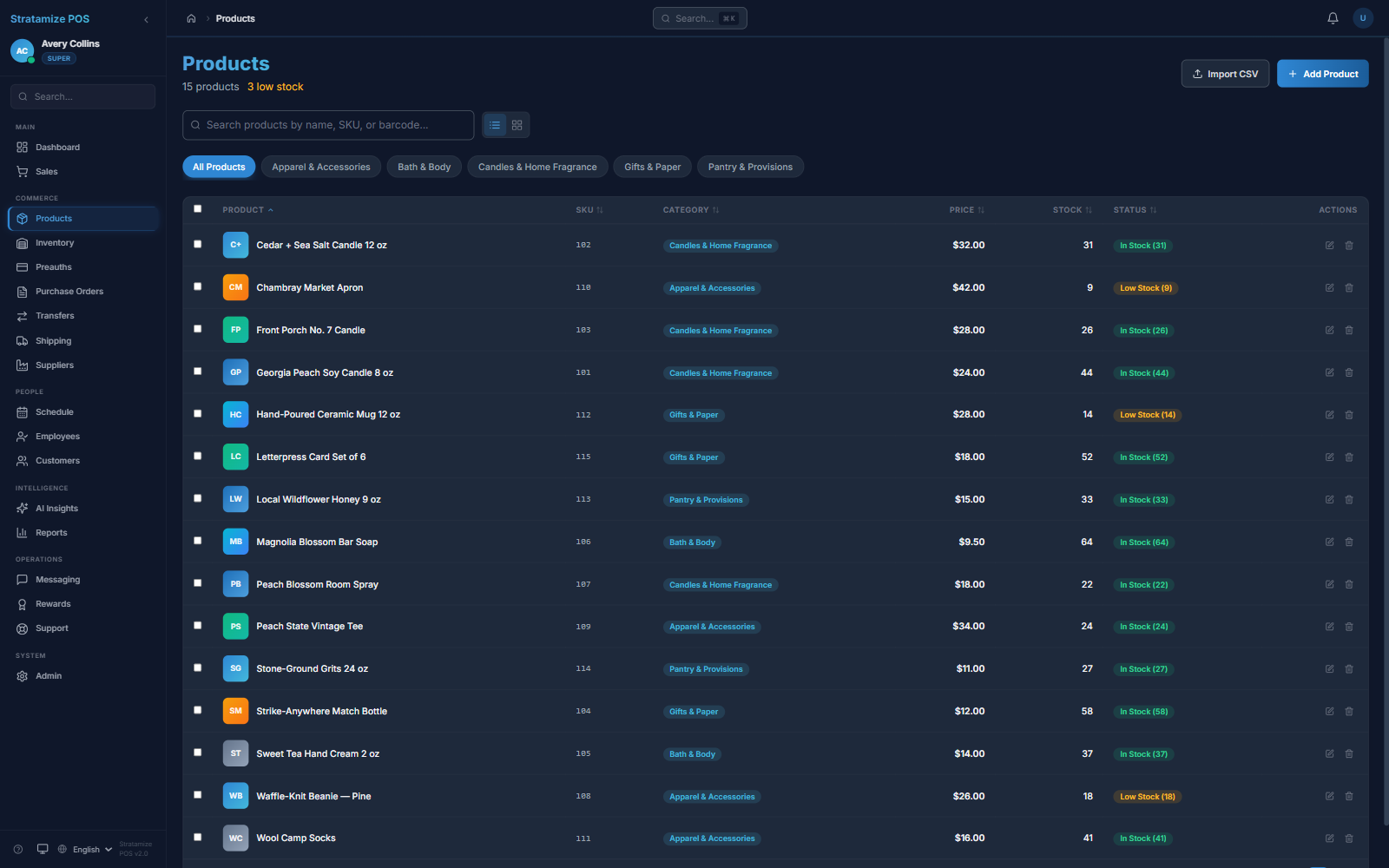
Confirm the SKU, category, price, stock count, status, and any specialized fields your merchandise needs.
Find the product, adjust quantity, assign a customer when useful, verify tax, and use the supported payment configuration.
Inspect the resulting inventory view, location quantity, customer record, and the reporting needed after checkout.
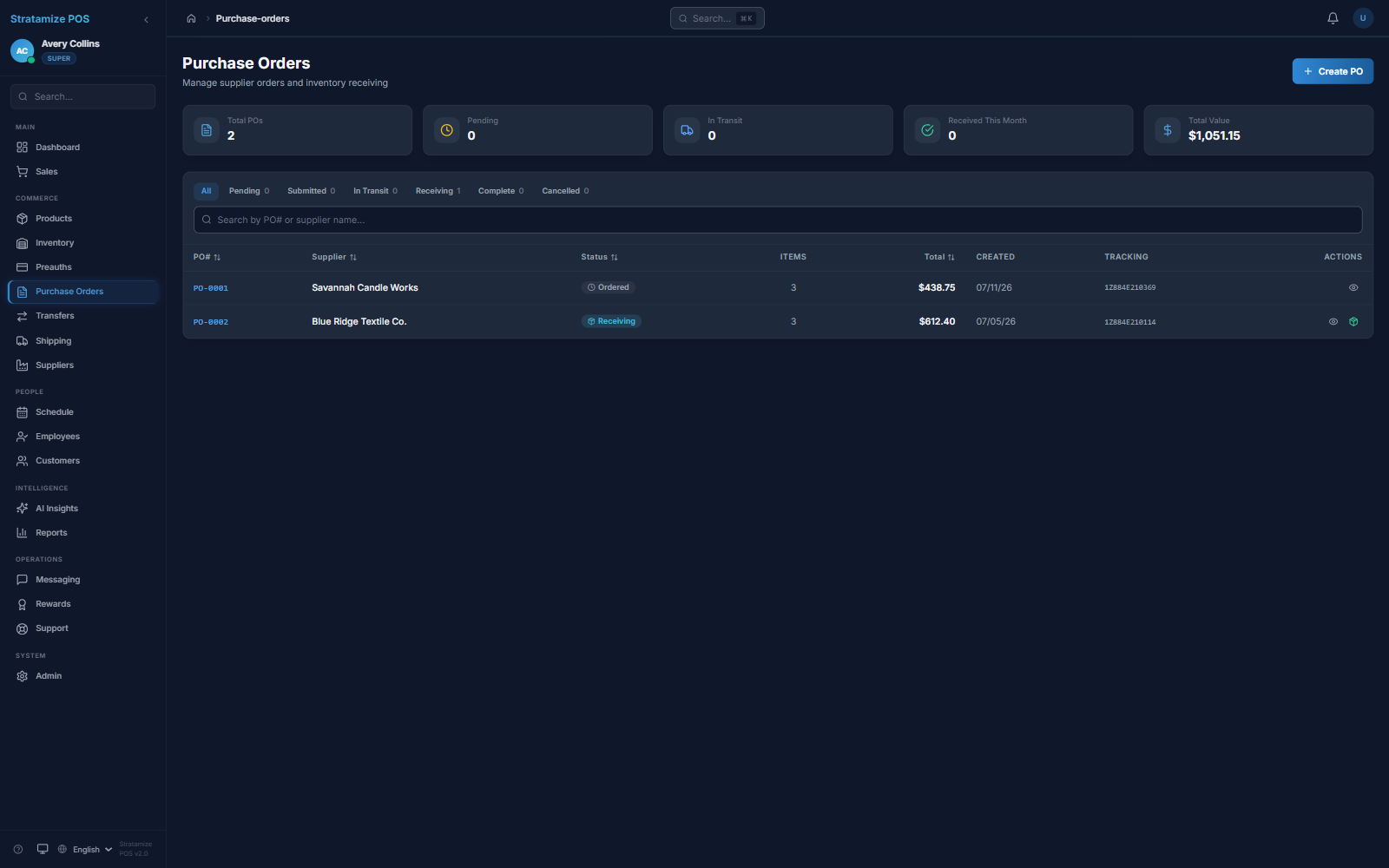
Open active supplier purchase orders and verify how order and receiving states fit the team's process.
Boutique fit matrix
Boutique requirements vary sharply. Use this page to narrow the evaluation, then demonstrate the exact merchandise, customer, purchasing, and channel cases your operation depends on.
Shown now
Current screens show SKUs, categories, prices, stock counts, location inventory, customer loyalty and wallet fields, and supplier orders with visible status and value.
Must verify
Demonstrate size, color, and style structure; exchanges; barcode-label printing; gift cards; loyalty rules; pop-up needs; and seasonal receiving before treating them as supported.
Integration check
Treat ecommerce or omnichannel synchronization, vendor feeds, accounting, shipping, and other integrations as explicit fit questions rather than assumed capability.
Boutique catalog proof
The product catalog shows boutique merchandise with SKUs, categories, prices, stock counts, and visible In Stock or Low Stock status.
Purchasing proof
The purchase-order view exposes suppliers, Ordered and Receiving states, tracking references, individual order values, and the active pipeline total.
STRAIGHT ANSWERS
No. The current product evidence supports products, SKUs, categories, prices, stock counts, location inventory, customers, and purchasing. Size, color, style matrices, exchanges, barcode-label printing, gift cards, and specialized variant behavior require an explicit demonstration.
Migration depends on export quality and the fields that must survive. We inspect products, SKUs, categories, prices, quantities, locations, taxes, customer records, and any variant structure before defining scope.
Test representative products, taxes, discounts, customer assignment, returns or exchanges, employee permissions, stock adjustment, supplier receiving, closeout, reports, and the supported payment hardware.