
PUBLIC PRODUCT TOUR
Follow one sale through the operation.
This ungated tour uses real Stratamize product screens. It shows the current product foundation without pretending that a public browser session is a production merchant account.
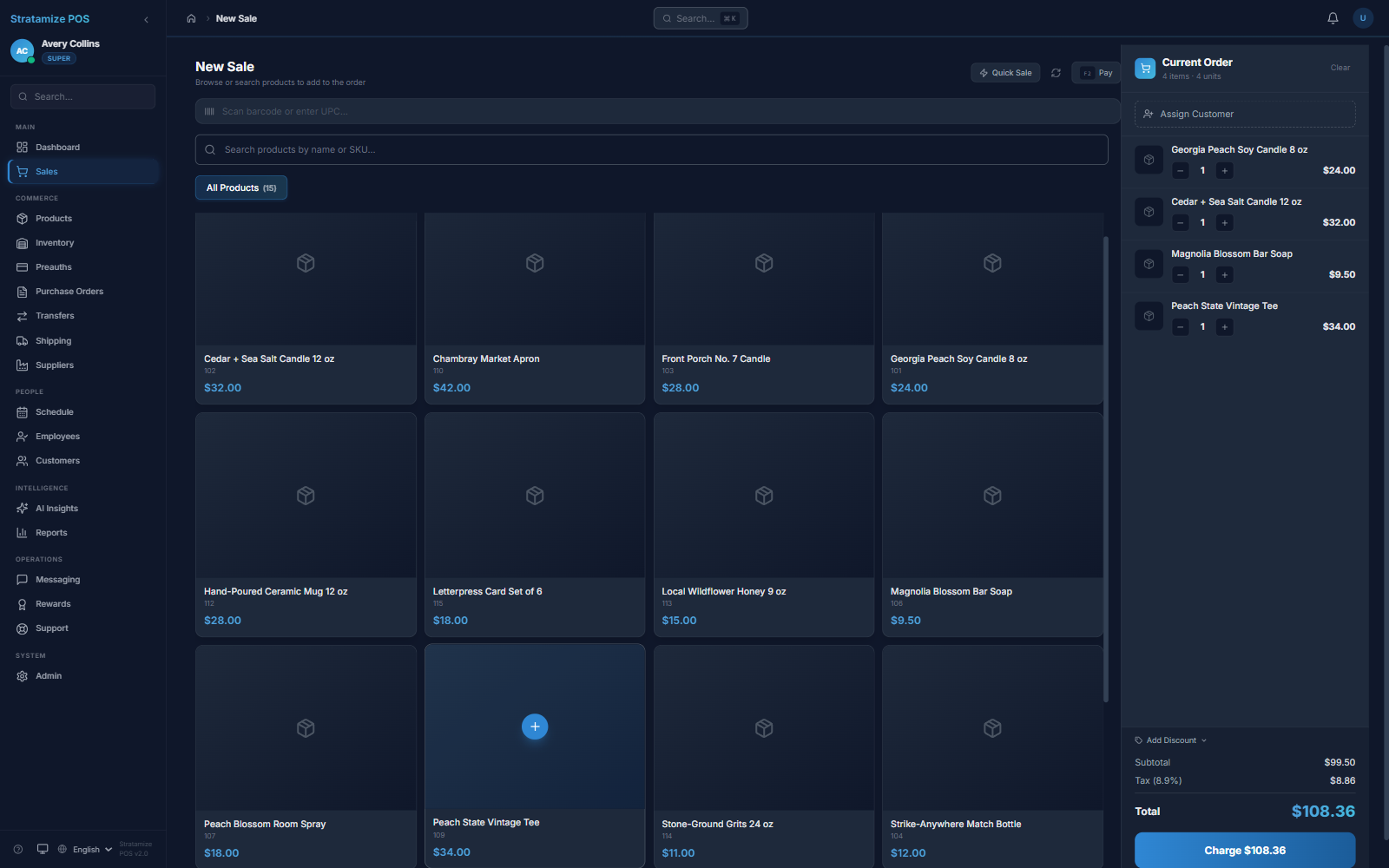

01 / CHECKOUT
Build the cart and keep the customer in context
The sale view keeps product selection, quantities, tax, discounts, customer context, and the charge action in one working surface.
02 / INVENTORY
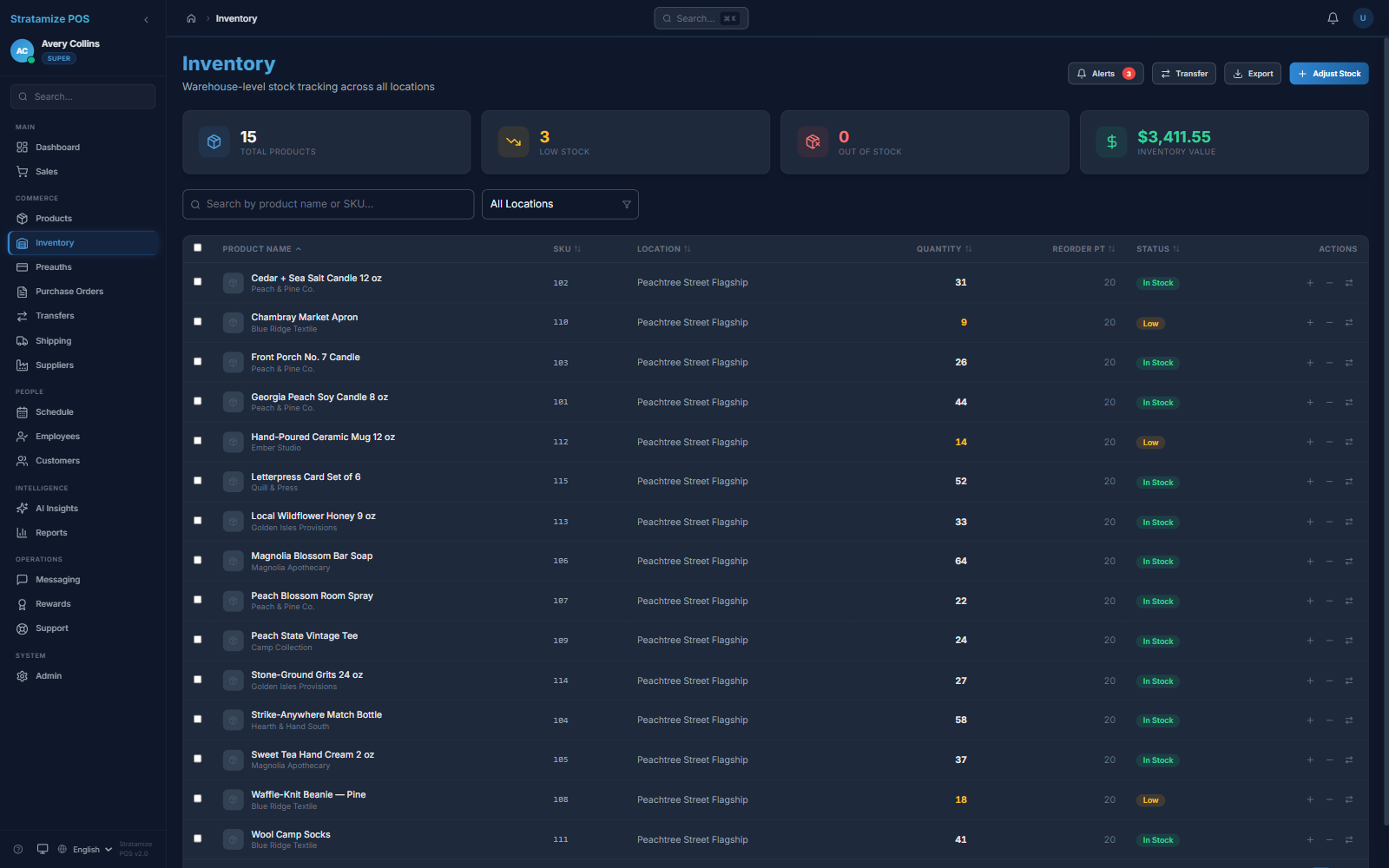
Let the sale update the stock record
Inventory views show per-location quantities, reorder points, low-stock conditions, and the information needed to plan purchasing or transfers.
03 / PURCHASING
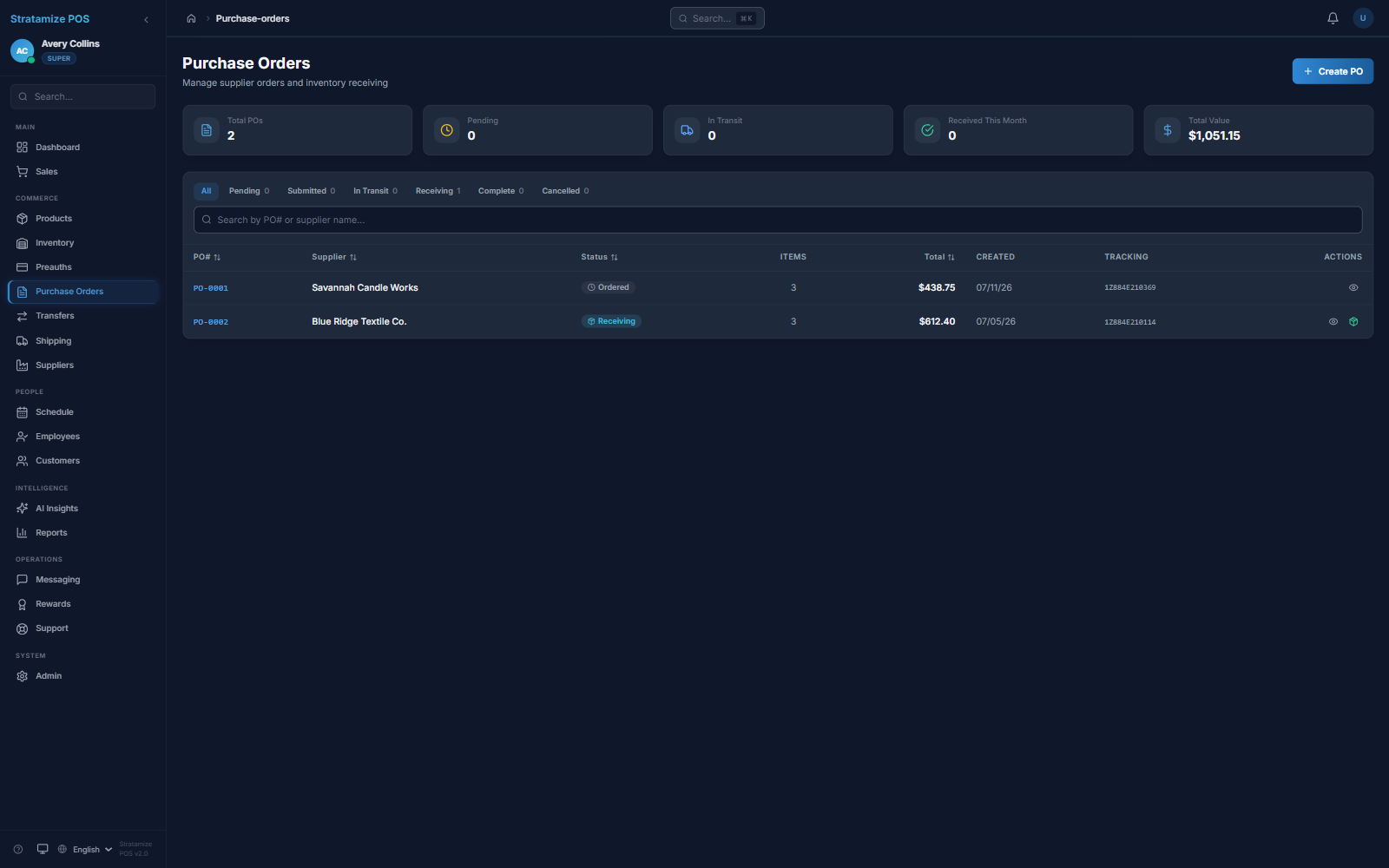
Track supplier orders and visible receiving status
The purchase-order view shows the supplier, Ordered or Receiving status, tracking reference, order value, and active pipeline total. It does not prove every creation, line-item, partial-receipt, discrepancy, or supplier-communication case.
04 / CUSTOMER
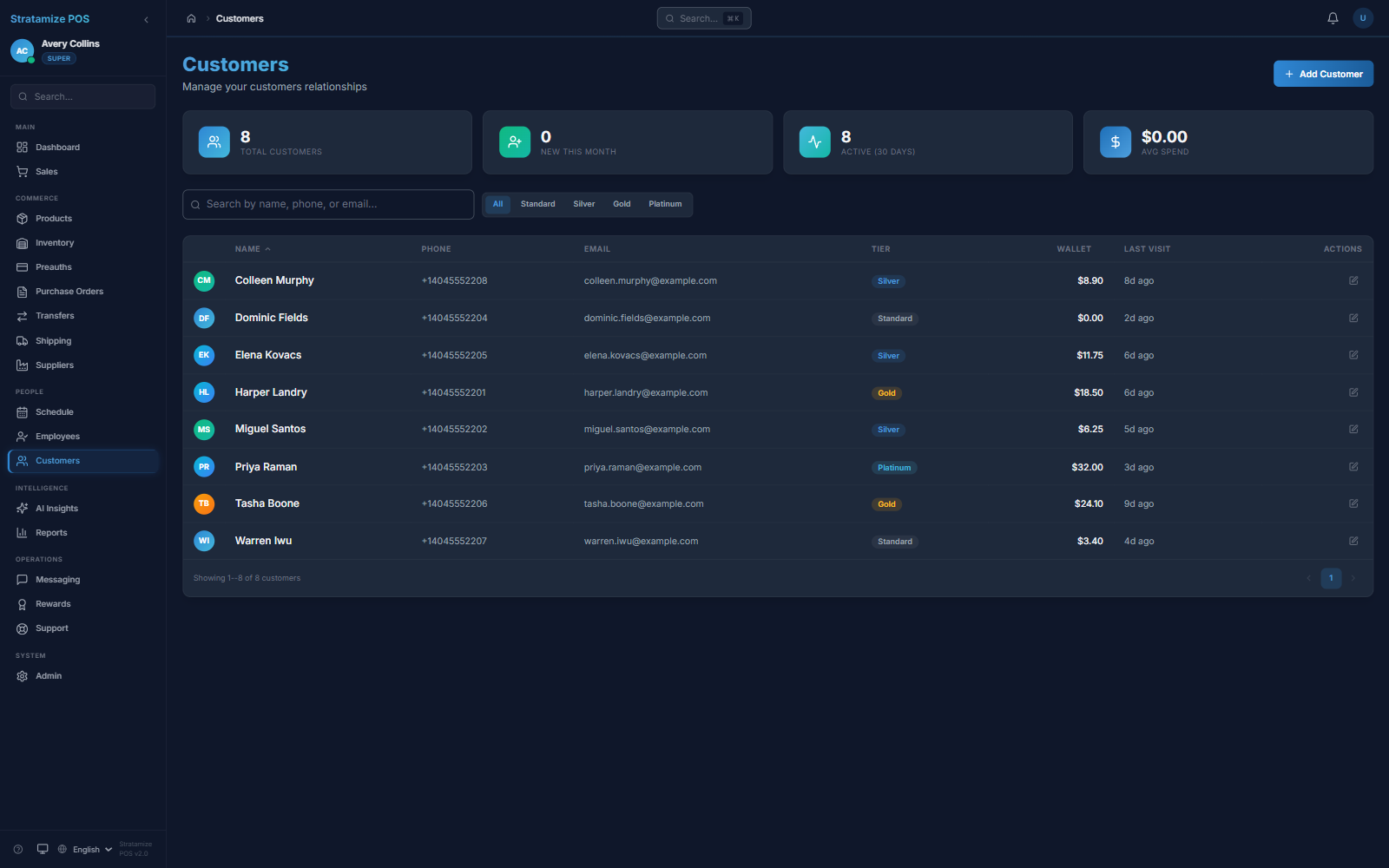
Carry the relationship beyond the receipt
Customer records keep contact, visit, loyalty, and wallet context connected to the operating system without forcing the counter into a separate tool.
05 / REPORTING
Close the loop with business-day visibility
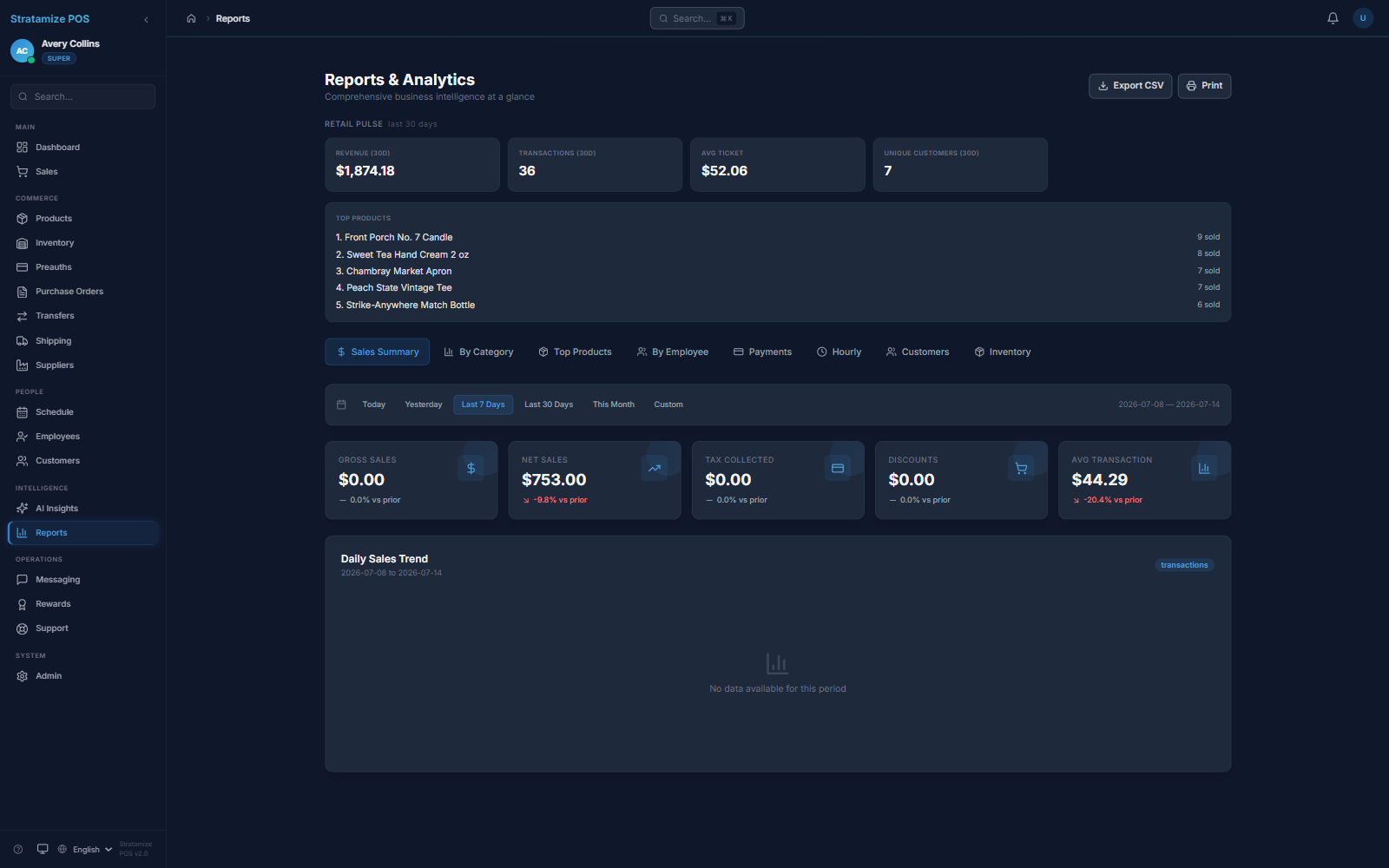
Reporting brings revenue, transactions, average ticket, and product performance into the same system used to run the sale.
TAILORED SESSION
What happens after the public tour
A real fit review should use your catalog, payment flow, roles, locations, and exceptions—not a generic demo account.
-
01
Choose the operating pattern
Tell us whether retail, restaurant, appointments, multi-location, or another workflow is closest.
-
02
Name the hard scenarios
Bring the sale, refund, inventory, customer, closeout, reporting, and payment cases that must work.
-
03
Run the tailored session
We demonstrate the supported path, identify configuration work, and state any limitation plainly.
-
04
Decide the next gate
Continue to implementation and merchant boarding only after product and commercial fit are clear.